> For the complete documentation index, see [llms.txt](https://docs.colormass.com/llms.txt). Markdown versions of documentation pages are available by appending `.md` to page URLs; this page is available as [Markdown](https://docs.colormass.com/building-blocks/materials/add-a-material/upload-pbr-materials-custom.md).
# Upload PBR Materials (Custom)
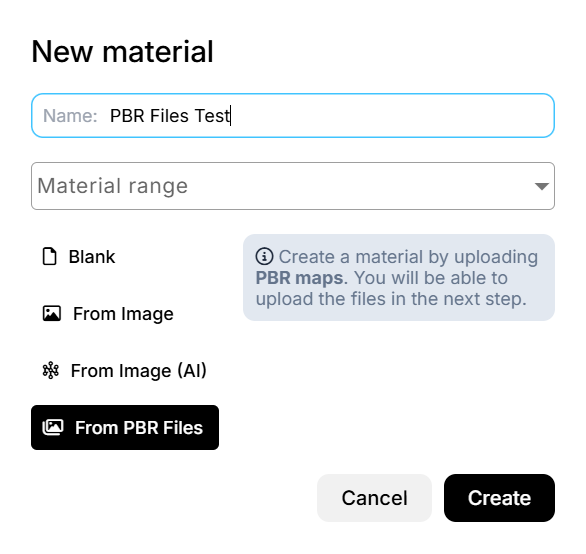
To create a new material from an image follow the [Add a Material](/building-blocks/materials/add-a-material.md)page and select the *From PBR Files* option.
The click on *Create*.
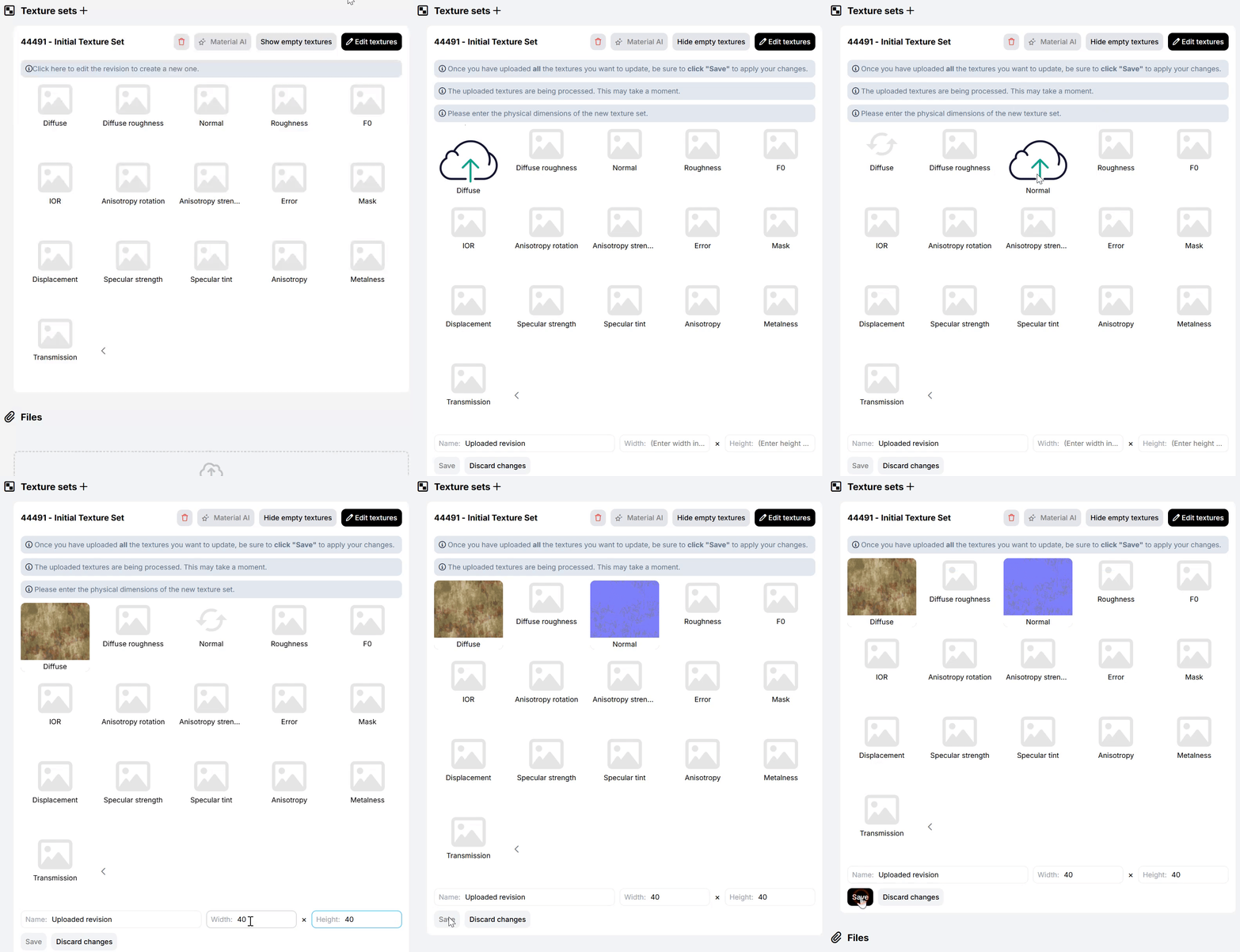
This will open a new material dialog, where the texture set, with the placeholder maps are already created, where you will be able to drag and drop your maps:
Drag and drop your maps to the slots that best describe the map you are trying to upload and then also enter the **physical size** of the maps, like so:
then click on *Save*. After these steps now there is only one step left to do, which is to click on *New material:*
and then save the material:
.png?alt=media&token=565c098f-889d-4bc4-a62a-915af706d957)
.png?alt=media&token=62cb9adc-0e4e-4abd-a736-d0e2e957ef2a)
.png?alt=media&token=4eed5561-0cc3-4c48-9196-39b53ae31666)