> For the complete documentation index, see [llms.txt](https://docs.colormass.com/llms.txt). Markdown versions of documentation pages are available by appending `.md` to page URLs; this page is available as [Markdown](https://docs.colormass.com/building-blocks/materials/adjust-reflectivity.md).
# Adjust Reflectivity
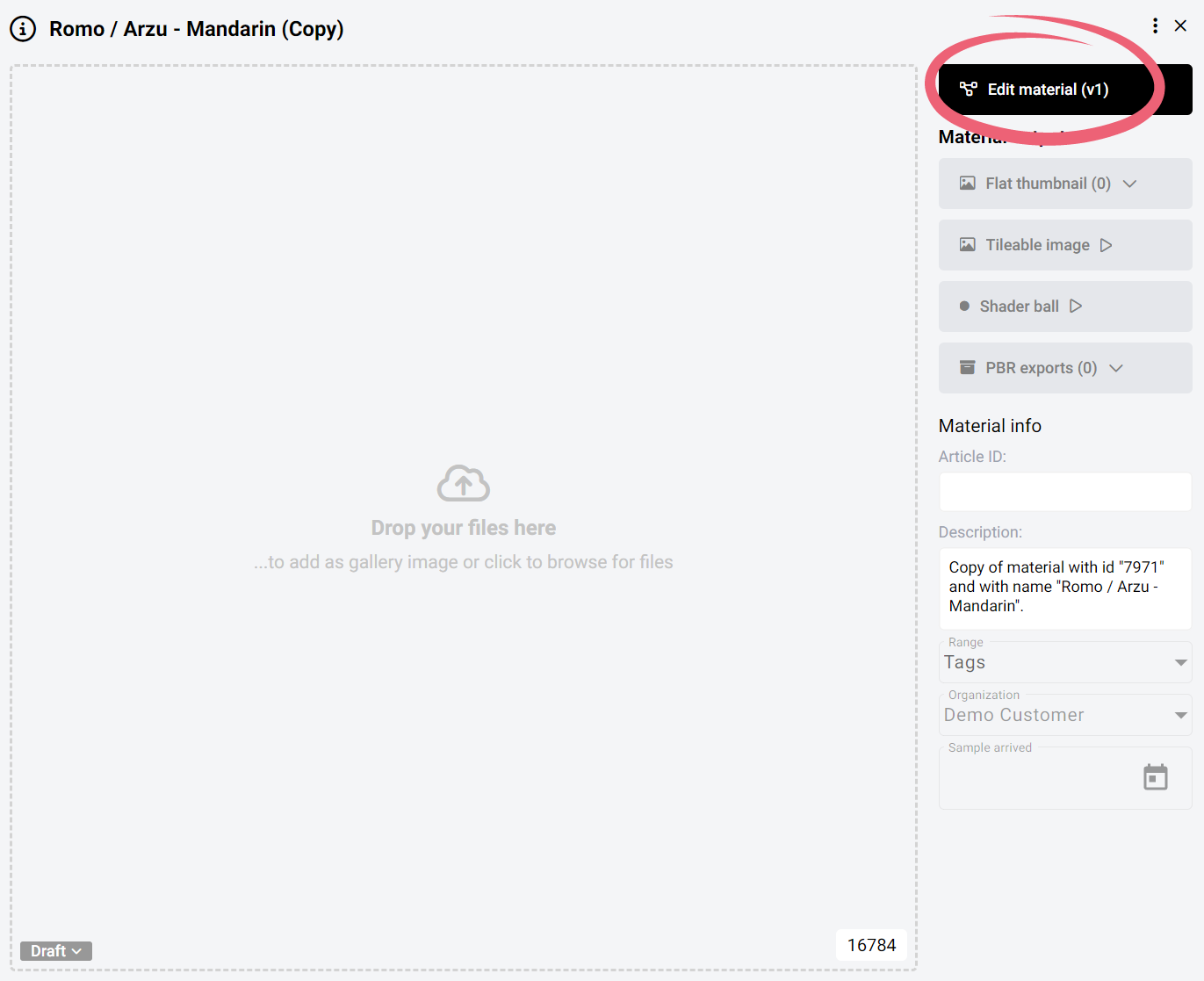
In order to adjust the reflectivity of a material on the platform you would first need to navigate to the specific material that you would like to change and click on the *Edit material* button.
Edit material
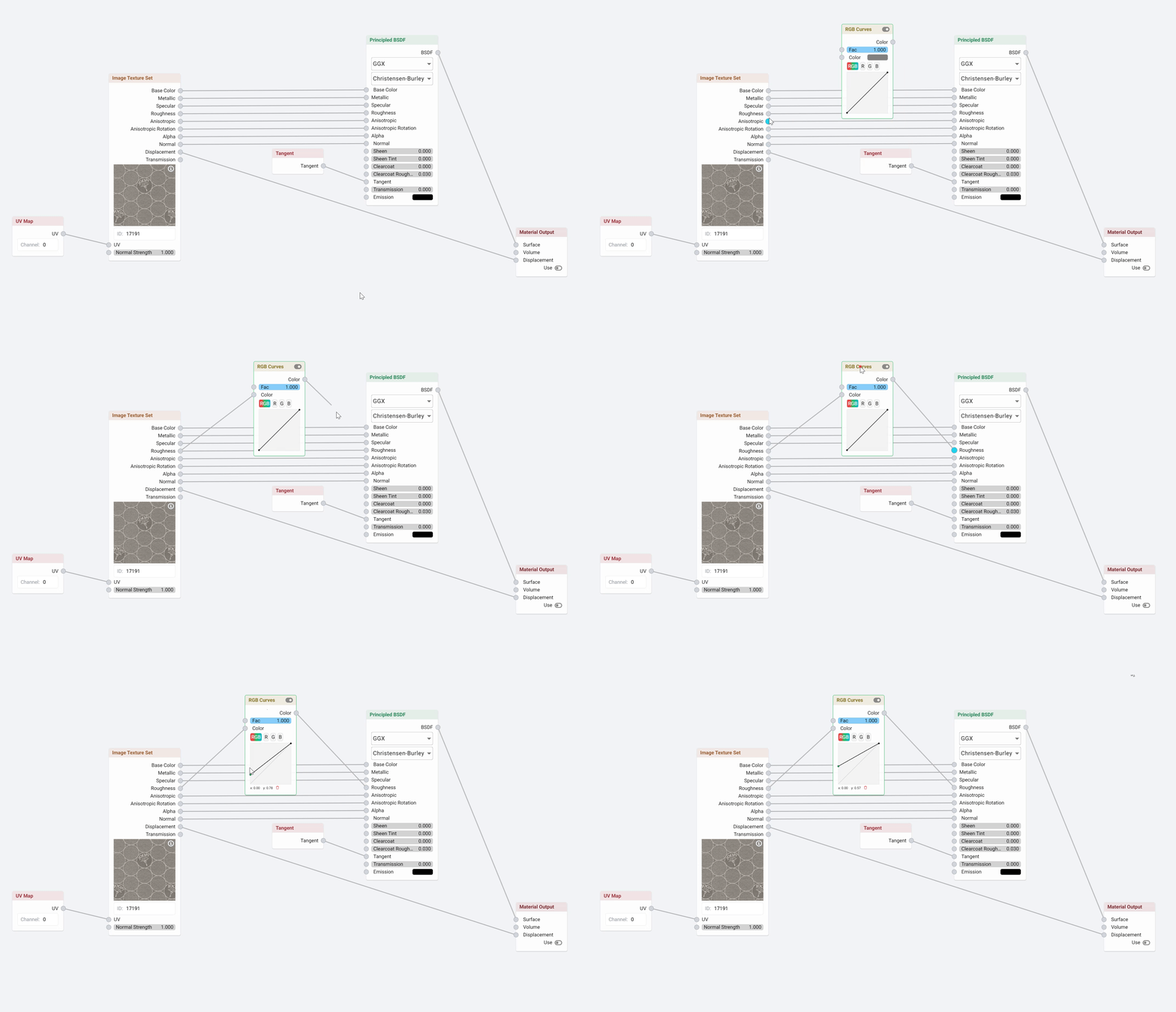
This will open up the material editor. In the material editor the reflectivity is mostly controlled by the Roughness map, so to change the reflectivity we would need to break this line and add an adjustment node.
Roughness map
In the recording below you can see how you can add a [RGB Curve](/building-blocks/materials/recolor-a-material/rgb-curves.md) node that you can then use to adjust the reflectivity.
Reducing roughness
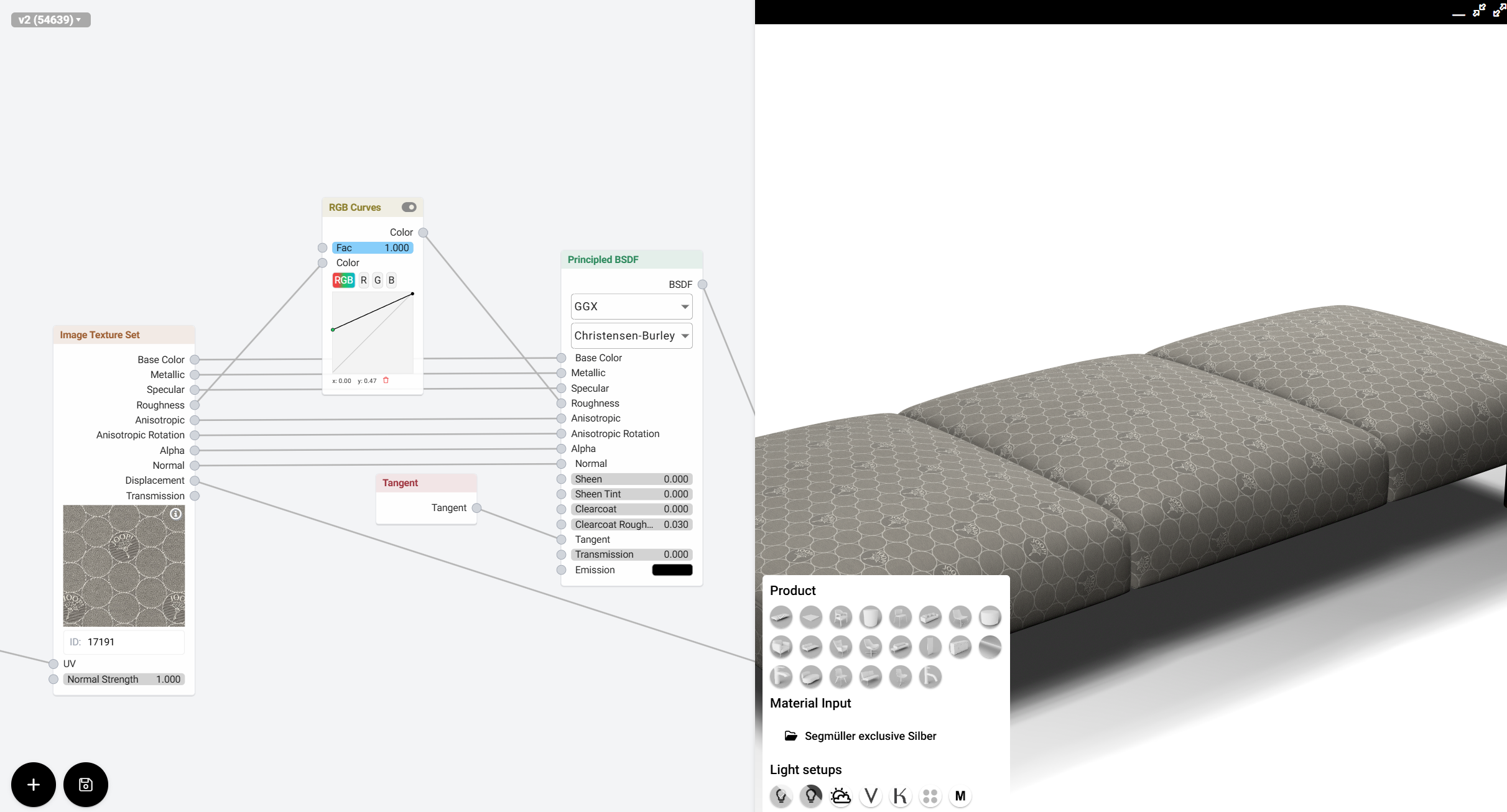
The [RGB Curve ](/building-blocks/materials/recolor-a-material/rgb-curves.md)works the same way as in photoshop. The RGB Curve in this case simply adjusts the brightness of the roughness (the brighter it becomes the less reflective, the darker it becomes the more reflective). So in order to decrease the reflectivity simply drag the bottom left point more to the top, like so:
Decrease reflectivity
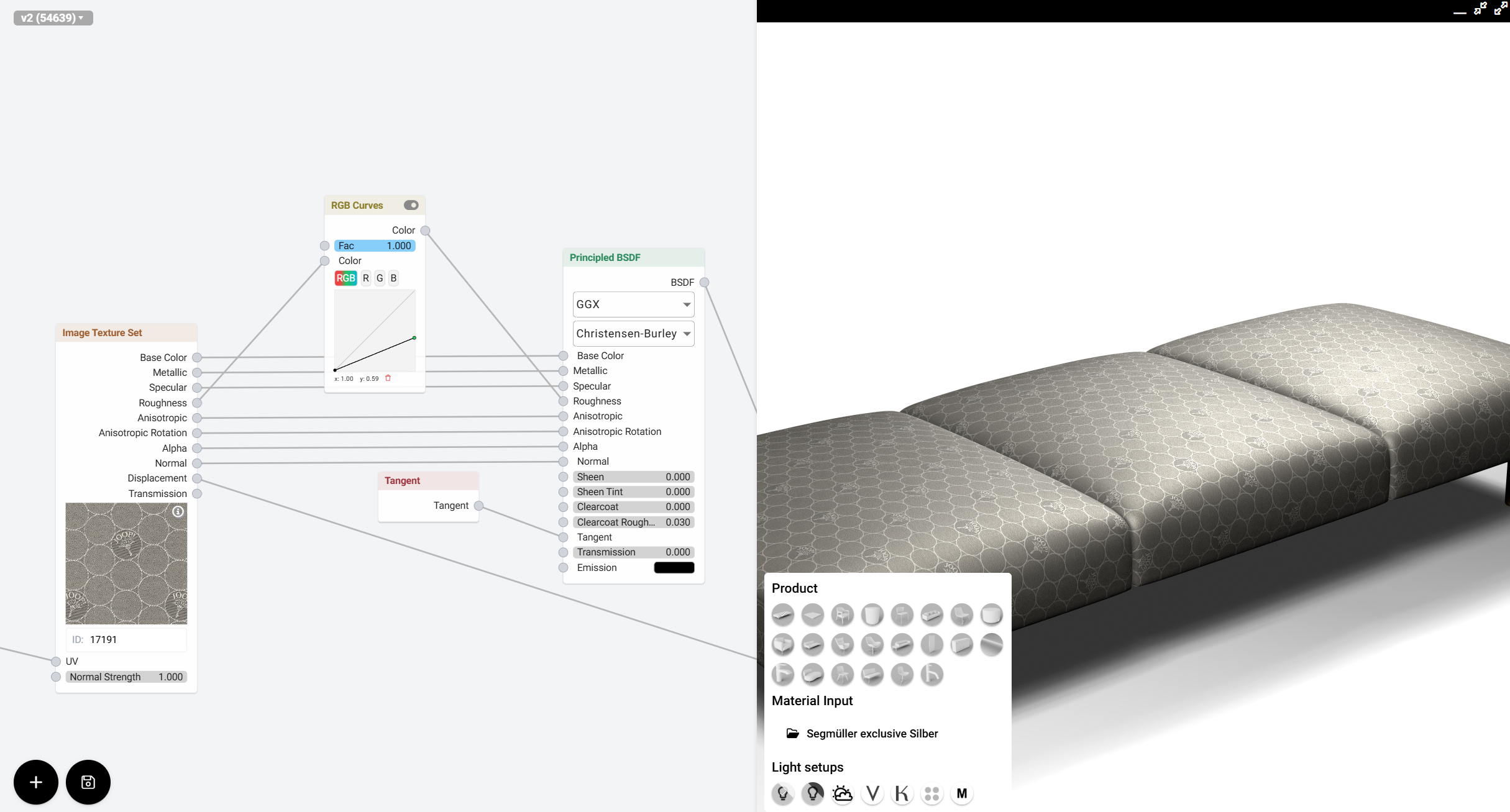
or drag the top-right point and drag it down, like so:
.jpg?alt=media&token=a4dd2725-36a3-4edb-b9ed-5fa85ae38370)