> For the complete documentation index, see [llms.txt](https://docs.colormass.com/llms.txt). Markdown versions of documentation pages are available by appending `.md` to page URLs; this page is available as [Markdown](https://docs.colormass.com/building-blocks/materials/recolor-a-material.md).
# Recolor a Material
It happens often that you want to use an existing scan or material and copy it multiple times (see [Copy a Material](/building-blocks/materials/copy-a-material.md)) and then recolor it or that you need to simply adjust the color of an existing scan. In either case as a first step we would need go to your copied or original material and open the material editor by clicking on the *Edit material* button.
Edit material copy
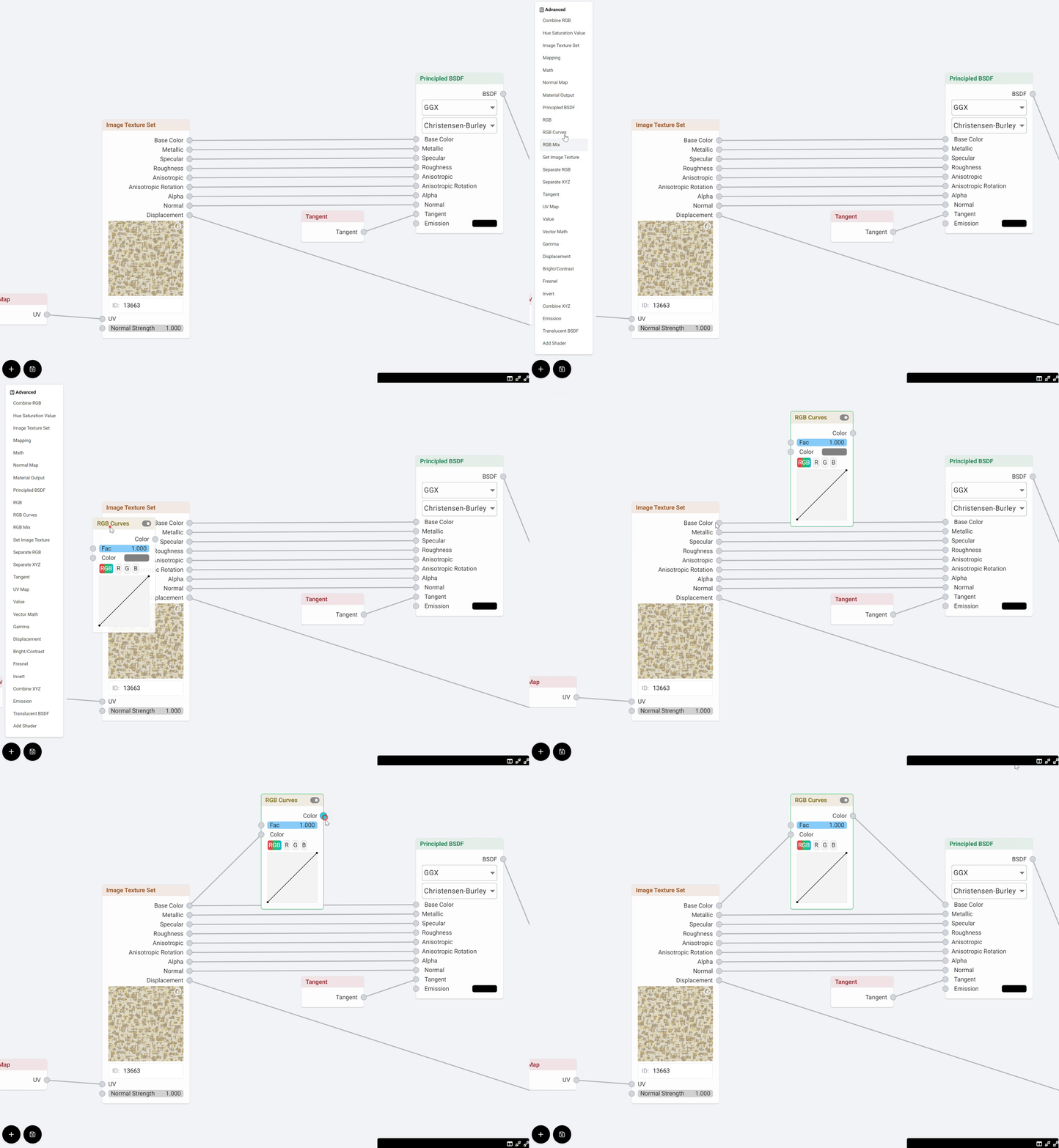
This will open up the material editor. In the material editor the Base color is simply taken from the scan or uploaded image and plugged in to the material definition (node on the right), so to change the color we would need to break this line and add an adjustment node.
Base color
In the recording below you can see how you can add a [RGB Curve](/building-blocks/materials/recolor-a-material/rgb-curves.md) node that you can then use to adjust the color. Just as in Photoshop, you can add multiple different adjustment nodes RGB Curve is just one option you can also use [HSV](/building-blocks/materials/recolor-a-material/hue-saturation-value.md) node.
Adding an RGB Curve node
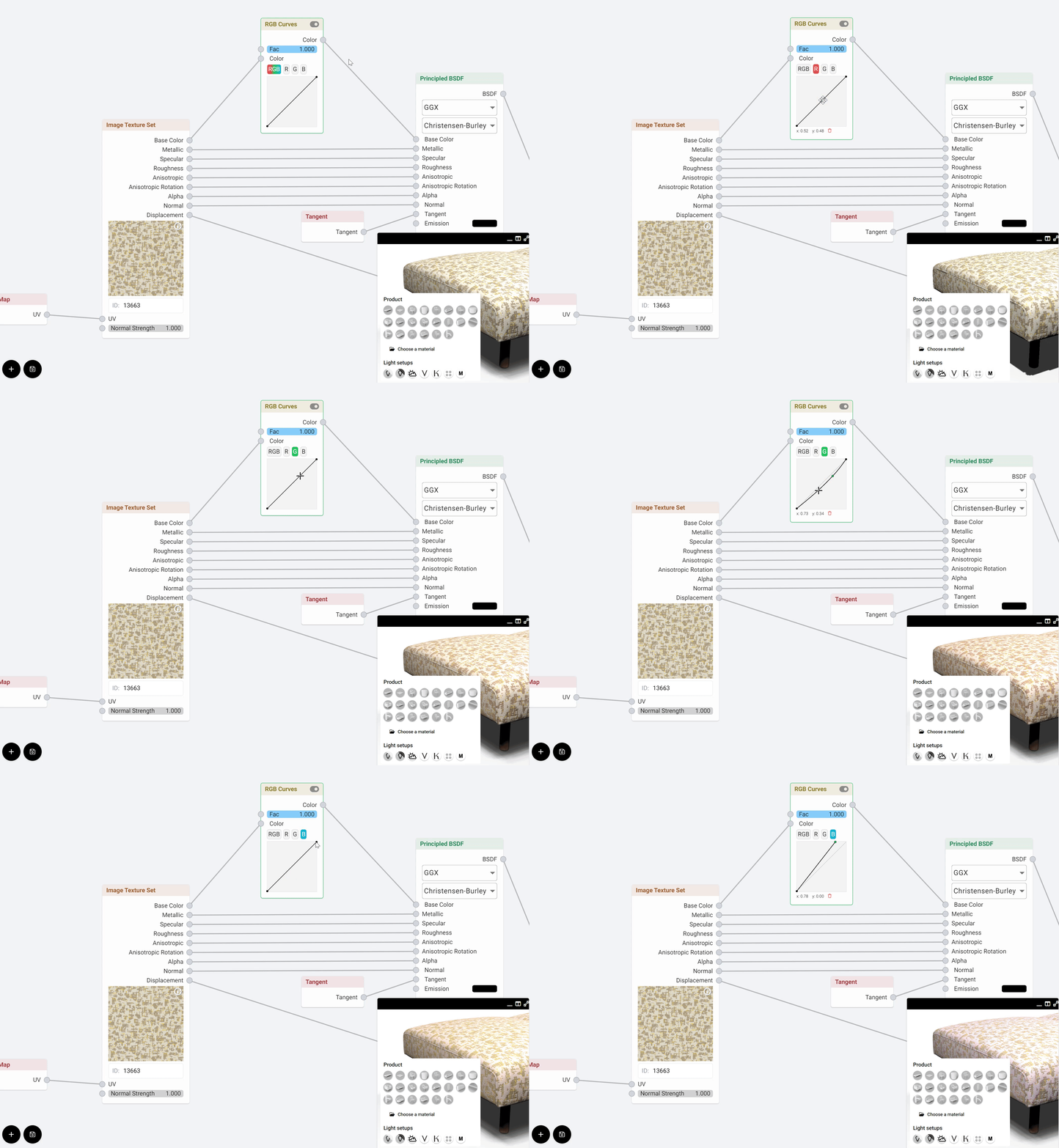
The only step left to do is to adjust the curve (or HSV values) depending on which node you chose in the end, like so:
Once you are done do **not** forget to *Save* your material.
.png?alt=media&token=d651b551-c254-49bf-bc24-56b5e1e90a61)
.png?alt=media&token=6647e168-d33d-4fca-908f-3afc28315dd7)