> For the complete documentation index, see [llms.txt](https://docs.colormass.com/llms.txt). Markdown versions of documentation pages are available by appending `.md` to page URLs; this page is available as [Markdown](https://docs.colormass.com/building-blocks/products/add-a-product.md).
# Add a Product
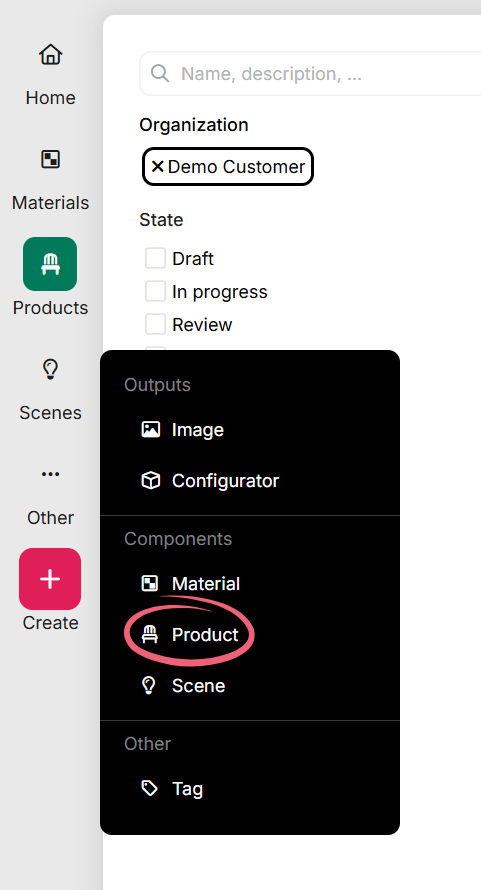
Press the *+Create* button and then click on *Product*:
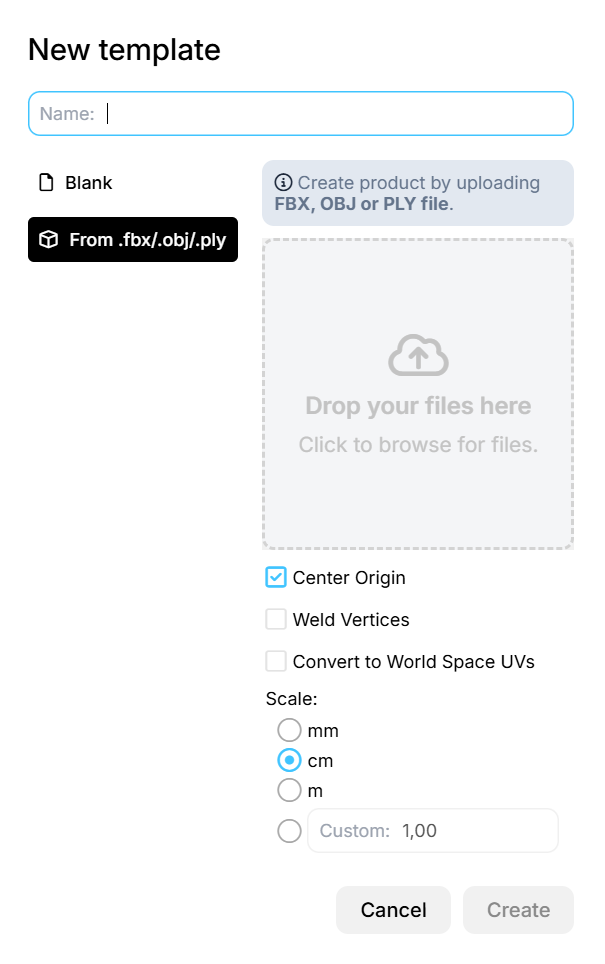
Next there will be a prompt that will ask for the name of the product:
Furthermore you can choose between uploading a file, or starting from scratch.
If you would like to upload a file you can upload a model by using one of the following supported formats:
* .obj
* .ply
* .fbx
{% hint style="info" %}
Looking to upload a **CAD** file? Check out this page: [Upload CAD File](/building-blocks/products/add-a-product/upload-cad-file.md).
{% endhint %}
{% hint style="warning" %}
If you upload a file, make sure to select the scale of your file correctly, and in case the UV is not World Space UV then we would also strongly recommend setting that.
{% endhint %}
Once you hit *Create* you should be navigated to an empty Product editor (or if you uploaded a file then the elements of your file should be available there).