> For the complete documentation index, see [llms.txt](https://docs.colormass.com/llms.txt). Markdown versions of documentation pages are available by appending `.md` to page URLs; this page is available as [Markdown](https://docs.colormass.com/building-blocks/products/advanced/convert-element-to-a-reusable-template.md).
# Convert Element to a Reusable Template
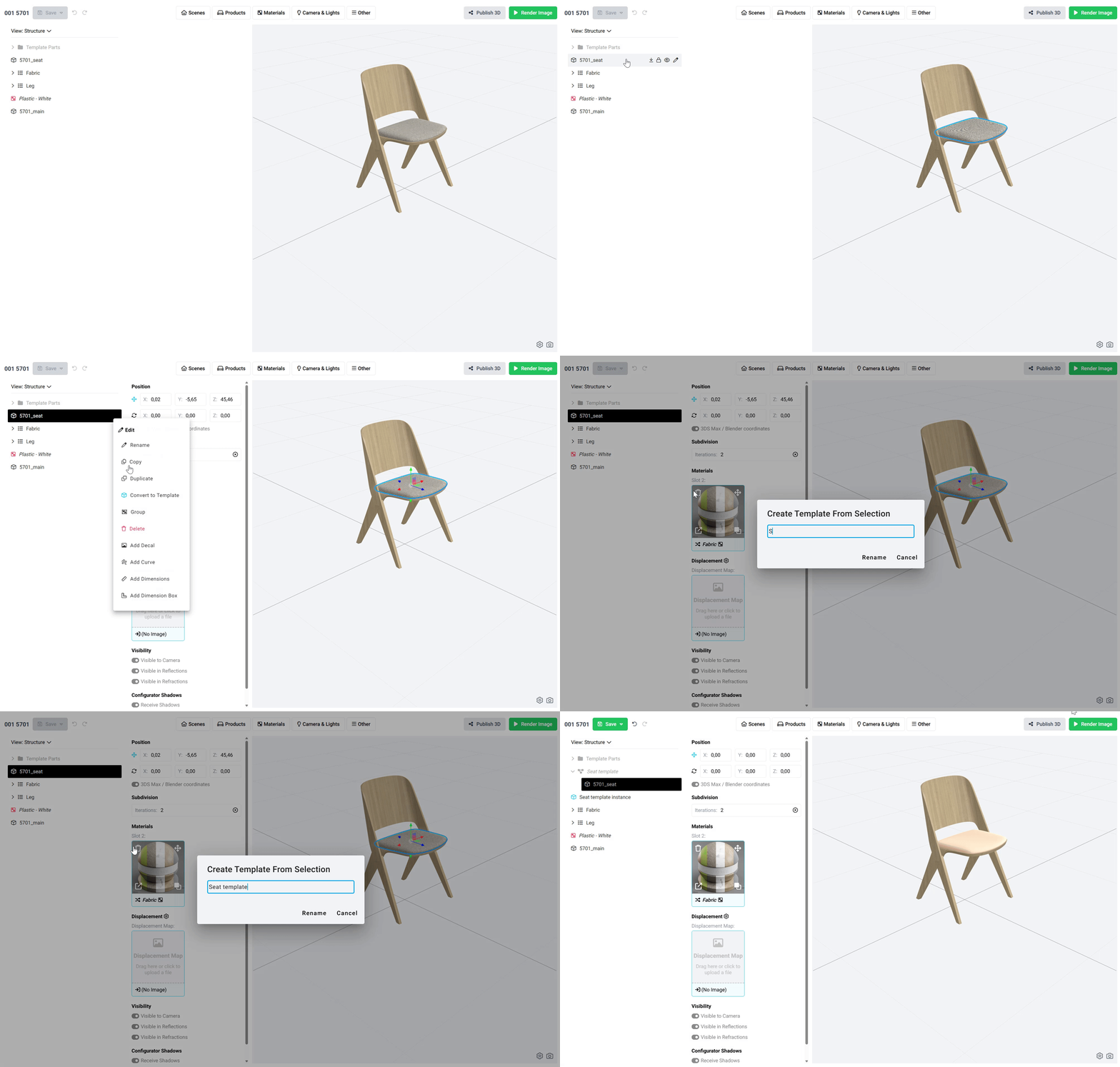
At any time during your work, you may want to turn part of an existing scene or product into a reusable element. To do this, simply select the elements you want to reuse - just the top-level elements are enough; there's no need to dig into folders or config groups to select the children - like this:
Create a template
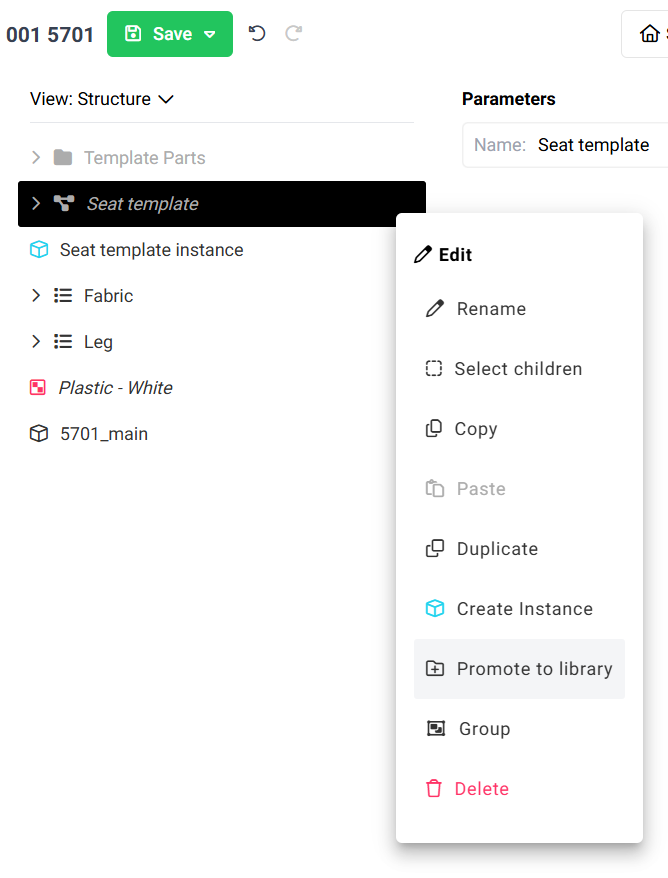
This only created a template in your local editor. You can duplicate the instance (the item with the blue icon) as many times as you like. However, to make this template available in your library, you also need to publish it. You can do this by clicking on the template that you just created and press *Promote to library*: