> For the complete documentation index, see [llms.txt](https://docs.colormass.com/llms.txt). Markdown versions of documentation pages are available by appending `.md` to page URLs; this page is available as [Markdown](https://docs.colormass.com/building-blocks/products/advanced/inputs-and-outputs/inputs.md).
# Inputs
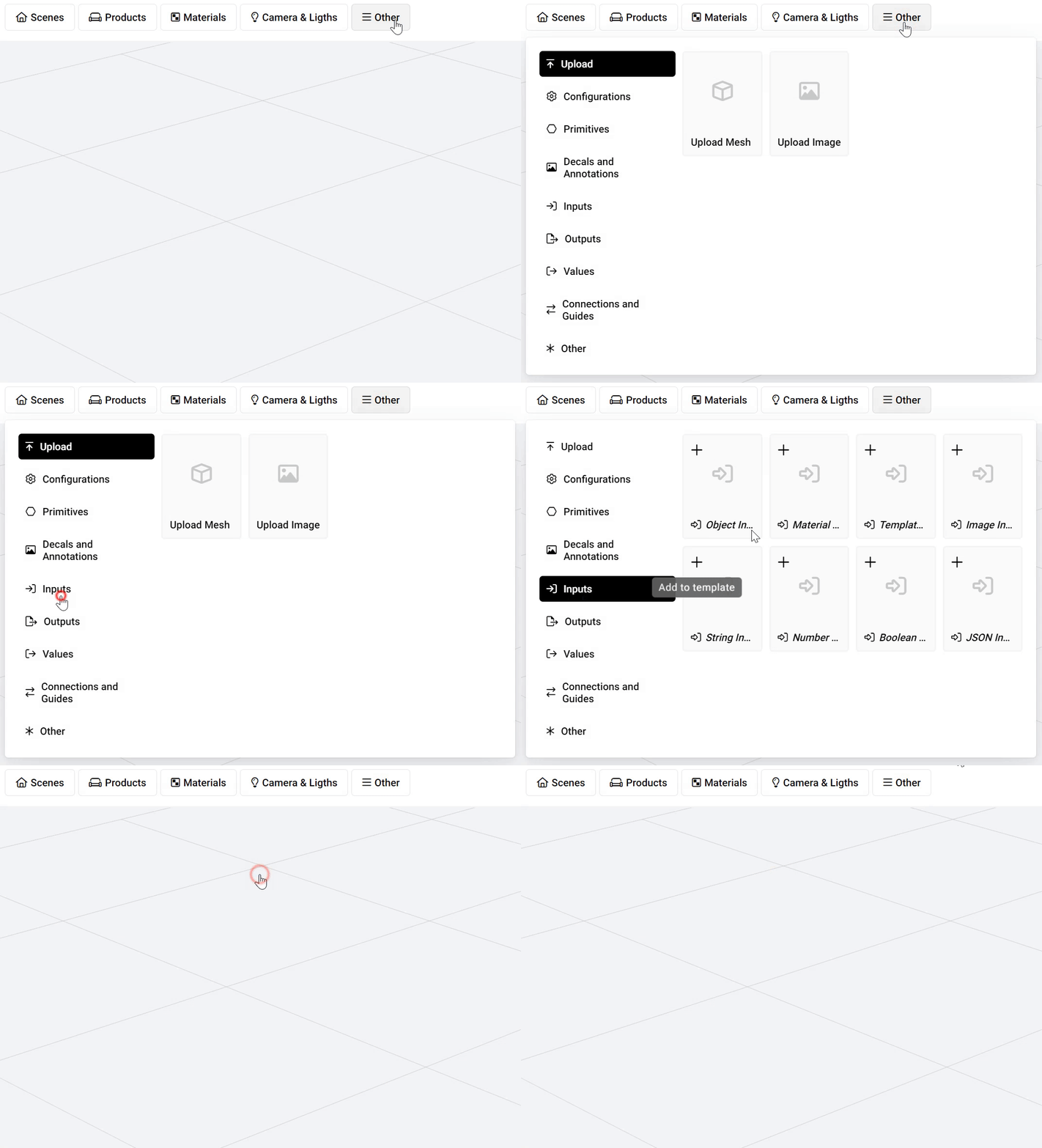
Inside a product you can add an input using the *Other* button:
Adding an input
You have various options for the type of input you want to add (depending on what kind of influence you want to give to the scene where this product will be included).
For example you can add a *Material Input,* which will allow the parent scene (the scene where it will be included) to assign material to this input that we you have just created. This material input you can use as a regular material and assign the areas of the product that you want to allow to override in any parent scene.
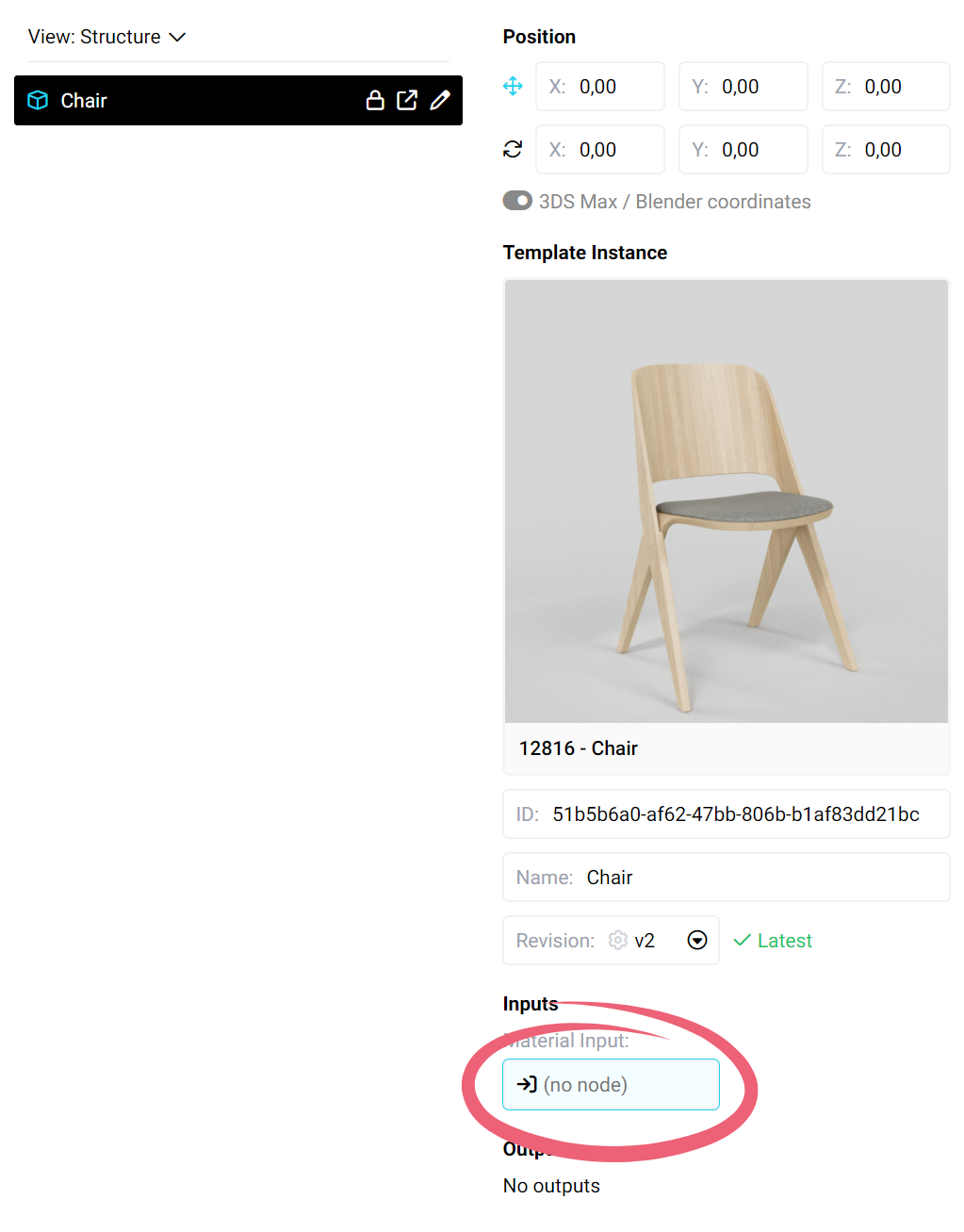
When you now add your product to the a scene, you will see a new input appear:
Material input
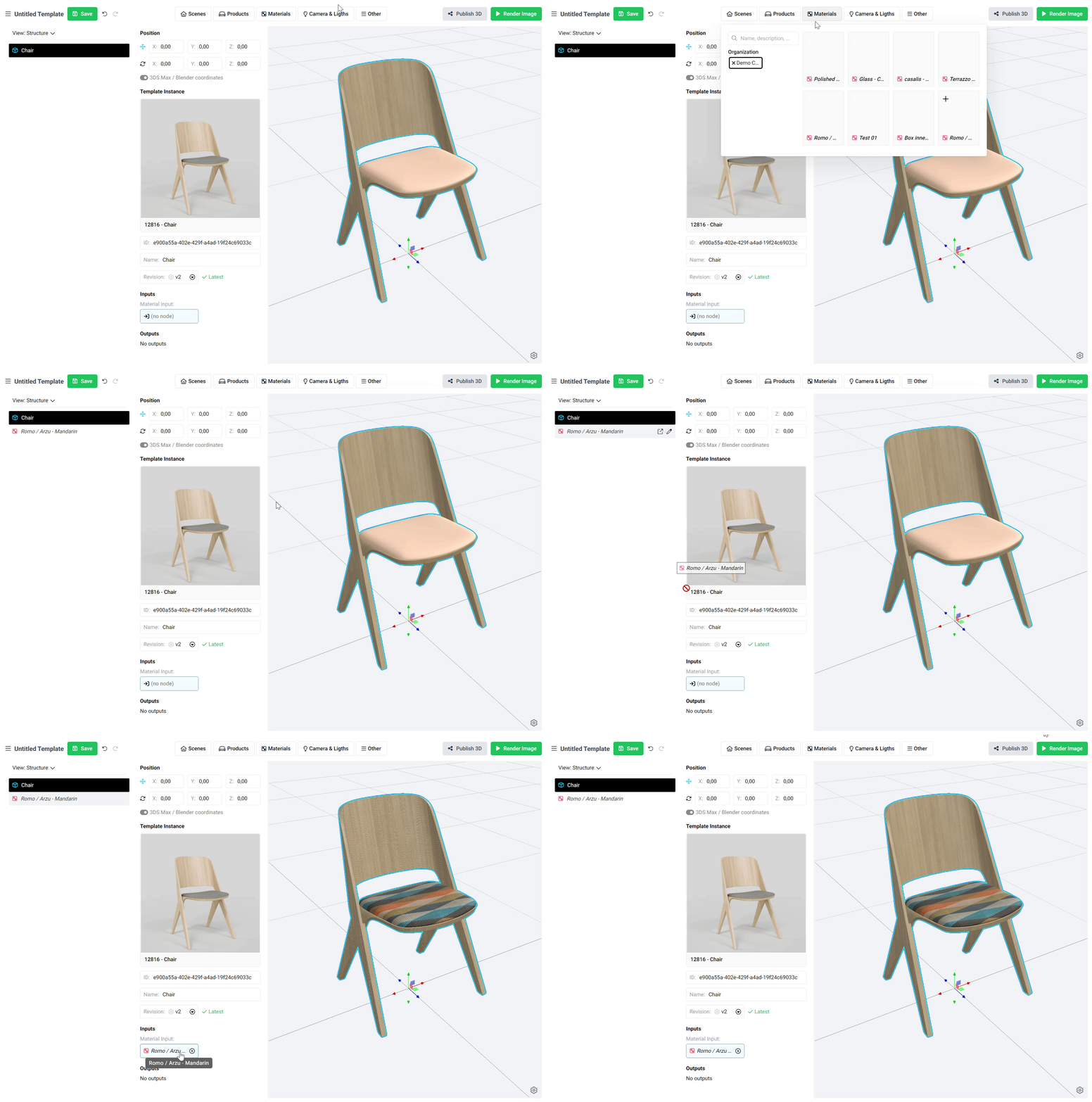
where you can now use to drag and drop a regular material to override:
Assigning material to an input
Notice that in the parent scene you re not able to edit anything else other than assigning a material to the input.
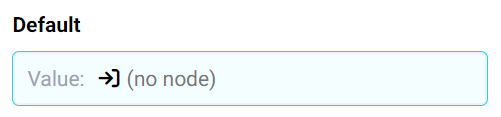
An input always contains a *Default* field:
Default field
This is the value that will be used if nothing is assigned to the input in the parent template.
{% hint style="info" %}
The color of inputs is always blue and the color of outputs is always red. This way you can always quickly see what fields you can assign values to (*Inputs*) and what fields you can use as values that you can assign to other areas (*Outputs*).
{% endhint %}