> For the complete documentation index, see [llms.txt](https://docs.colormass.com/llms.txt). Markdown versions of documentation pages are available by appending `.md` to page URLs; this page is available as [Markdown](https://docs.colormass.com/building-blocks/products/advanced/inputs-and-outputs/outputs.md).
# Outputs
*Outputs* are the opposite of *Inputs*: these fields can be created to supply values to the parent scene, rather than being used to override elements within the product itself.
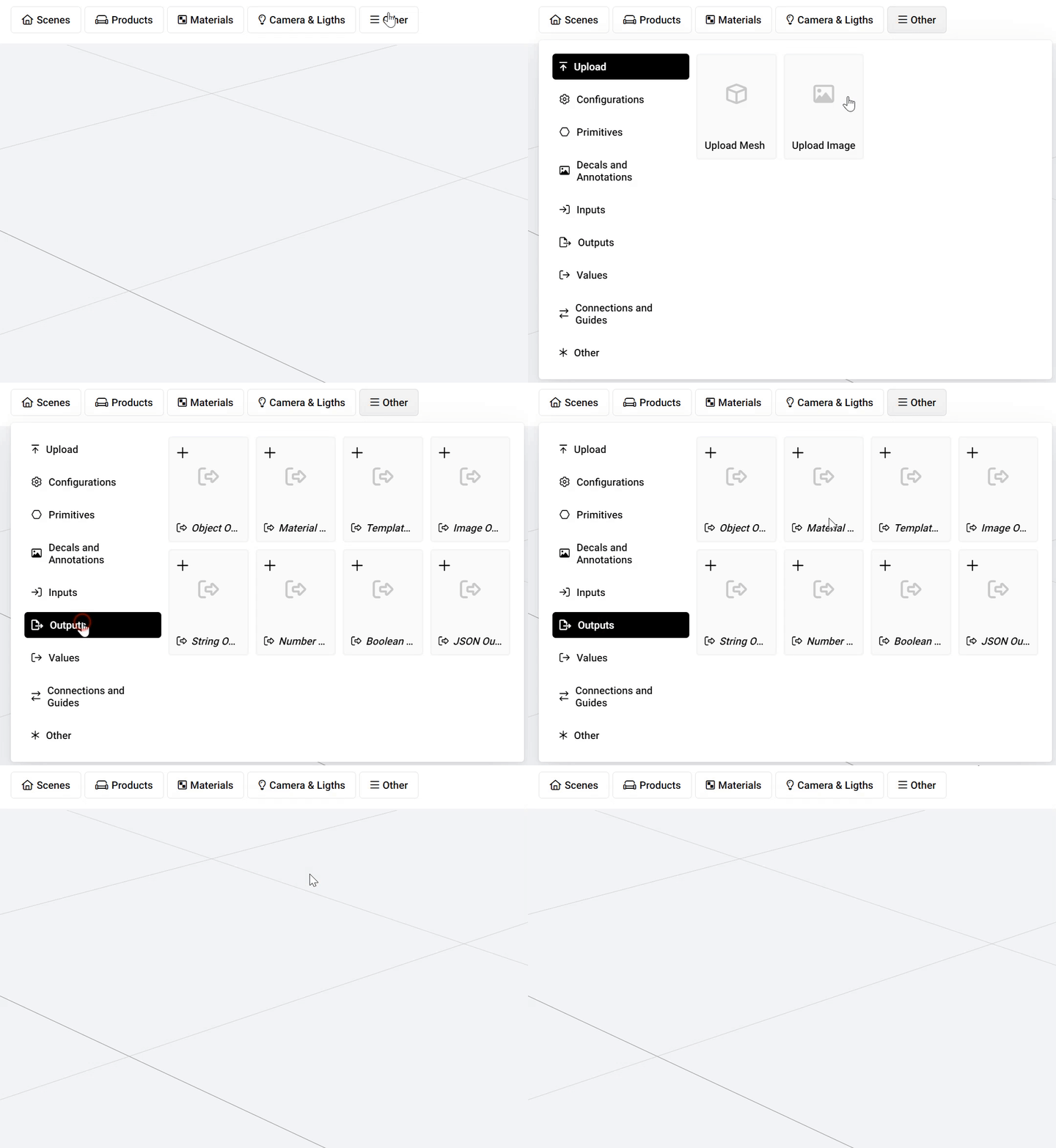
Inside a product you can add an output using the *Other* button:
Add an output
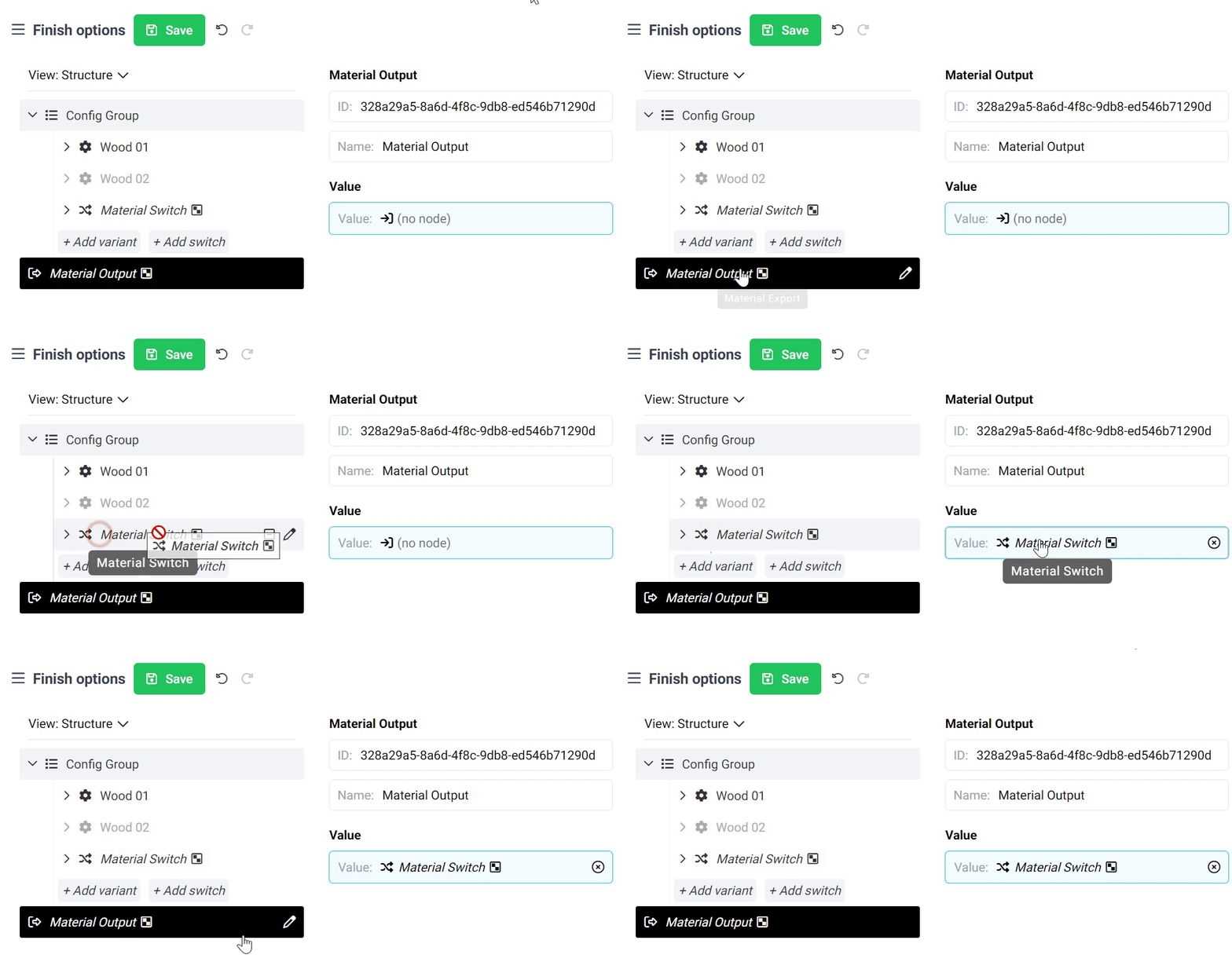
To demonstrate one way to use outputs, lets say that you want to create a group of finish options that can be reused inside many products. For this we first create a new product and add the options as described in the [Create Material Variants](/building-blocks/products/create-material-variants.md)page. Then we add a new *Material Output.* Once we have both the options and the *Output* then we need to simply assign the *Switch (this is the combined material)* of the material options to the *Output.*
Assign the material switch to the output
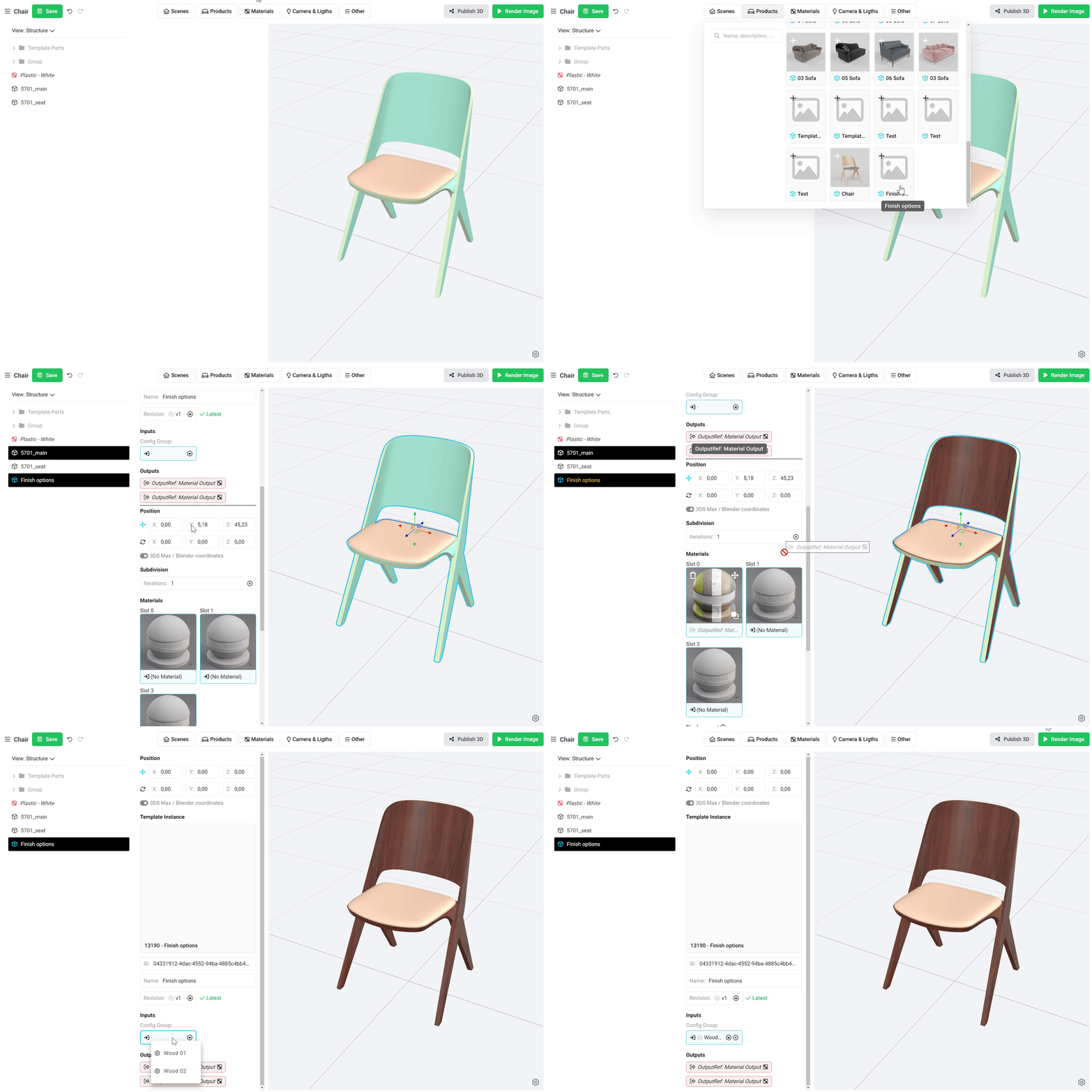
This way, wherever this product is included, the output (the finish options) can be used by the parent scene. This makes it possible to create dedicated finish-option-products that are specifically designed to be used in products and assigned as finish options. As a result, you can avoid duplicating finish options and simply create reusable configurations.
You can see how this new *finish-option-product* can be used inside another product below:
{% hint style="info" %}
The color of outputs is always red and the color of inputs is always blue. This way you can always quickly see what fields you can assign values to (*Inputs*) and what fields you can use as values that you can assign to other areas (*Outputs*).
{% endhint %}