> For the complete documentation index, see [llms.txt](https://docs.colormass.com/llms.txt). Markdown versions of documentation pages are available by appending `.md` to page URLs; this page is available as [Markdown](https://docs.colormass.com/building-blocks/products/create-variants.md).
# Create Variants
Configuration Groups are used to define variations (any kind of variation: product feature, finish or fabric variations) within a template.
In order to show you how it works lets add a variation to the ***chair for showing and hiding the seating pad***.
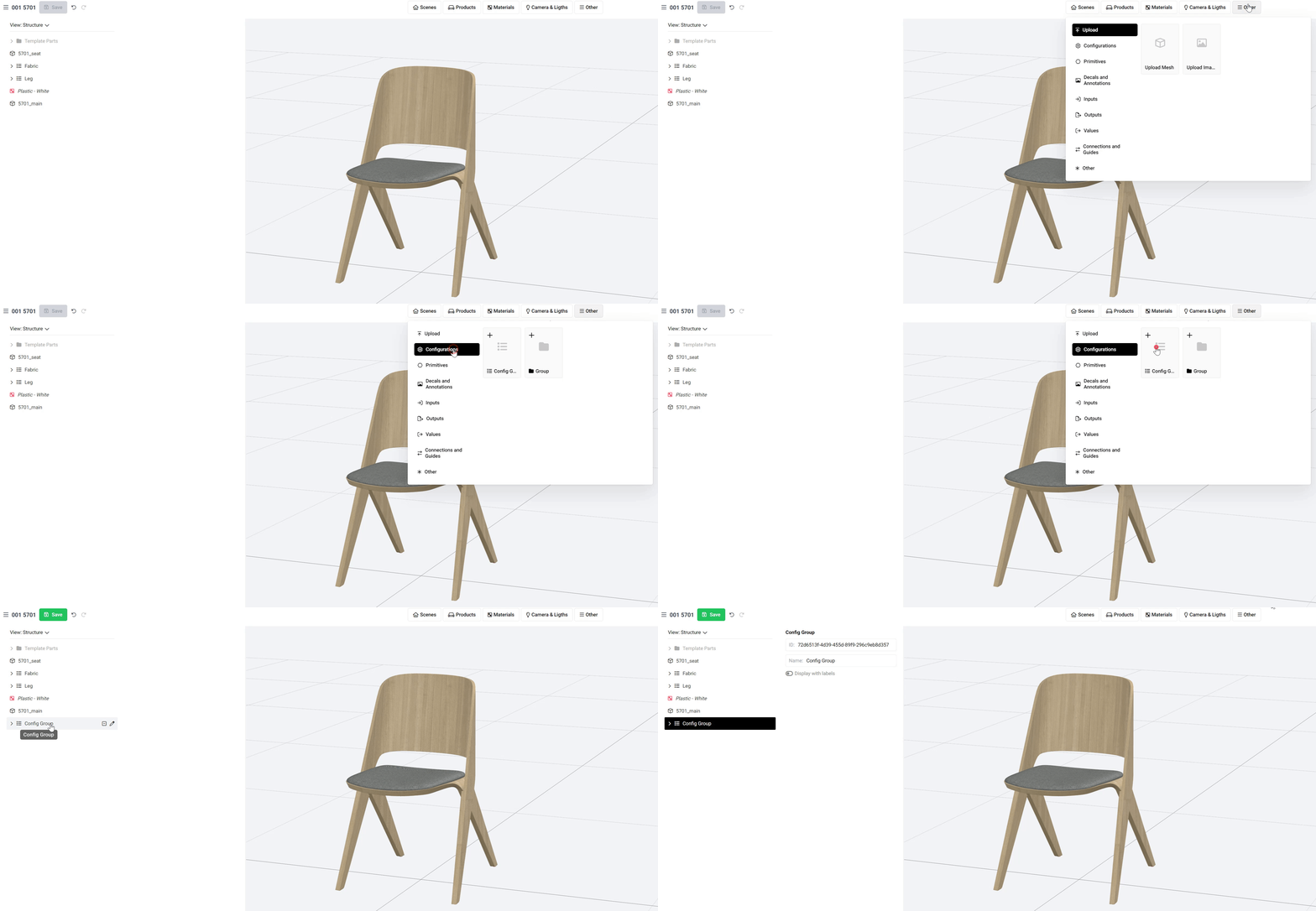
First you need to add a new *Config(uration) Group*:
Add a Config Group
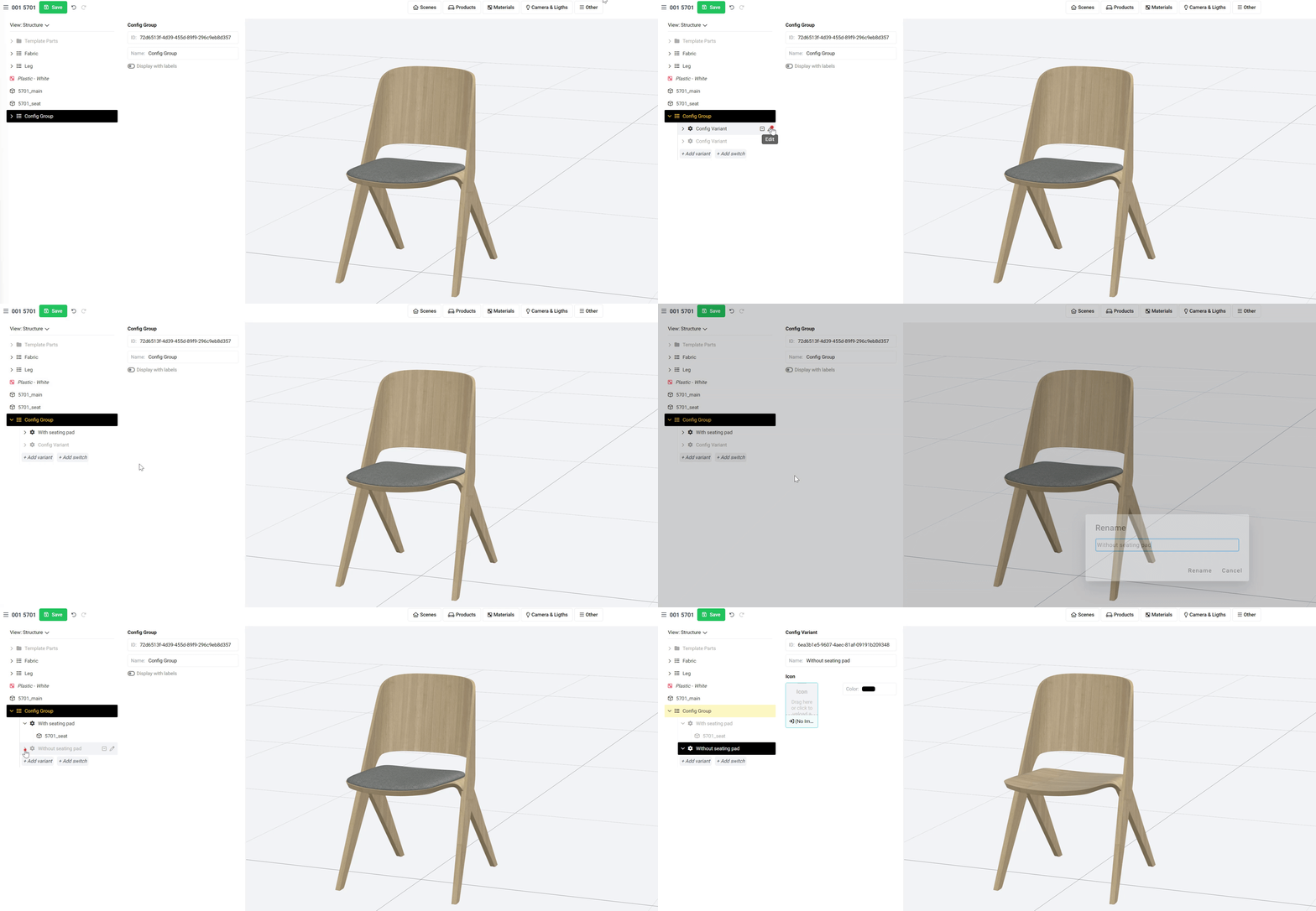
This will add a new *Config Group* to the product tree on the left. If you expand it you will see two options: *Add variant* and *Add switch*. In order to add more variants to the product we need to press the *Add variant* button, as many times as many variations you need. In this case we will add two and name them:
* With seating pad
* Without seating pad
Once the variants are done we only need to drag & drop the seating mesh into the *With seating pad* option, so that when that variant is selected the mesh is shown and when the other option (*Without seating pad*) is selected then nothing is shown. You can see all these steps in the little screenrecording below:
{% hint style="info" %}
You can think of config variants as options that can be activated. The options you see below config group are possible options to active and every option that is not selected is deactivated (i.e. hidden/removed).
{% endhint %}