> For the complete documentation index, see [llms.txt](https://docs.colormass.com/llms.txt). Markdown versions of documentation pages are available by appending `.md` to page URLs; this page is available as [Markdown](https://docs.colormass.com/building-blocks/scenes/material-range.md).
# Material Range
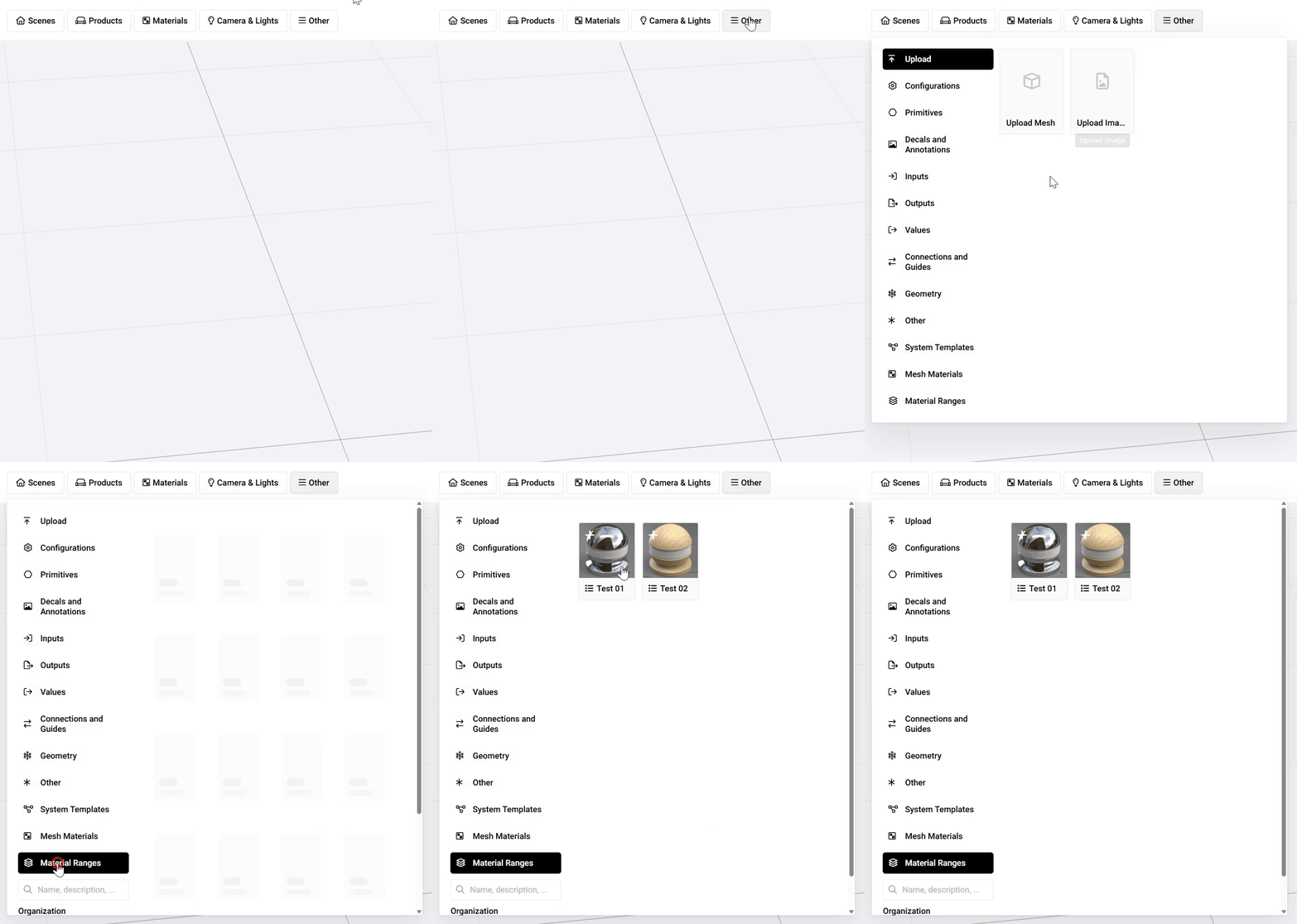
On the colormass platform, you can add an entire range of materials for renders and for configurators, allowing you to generate many variations of materials within the same range or pattern with a few clicks. To do this please click on *Other* and then *Material Ranges.*
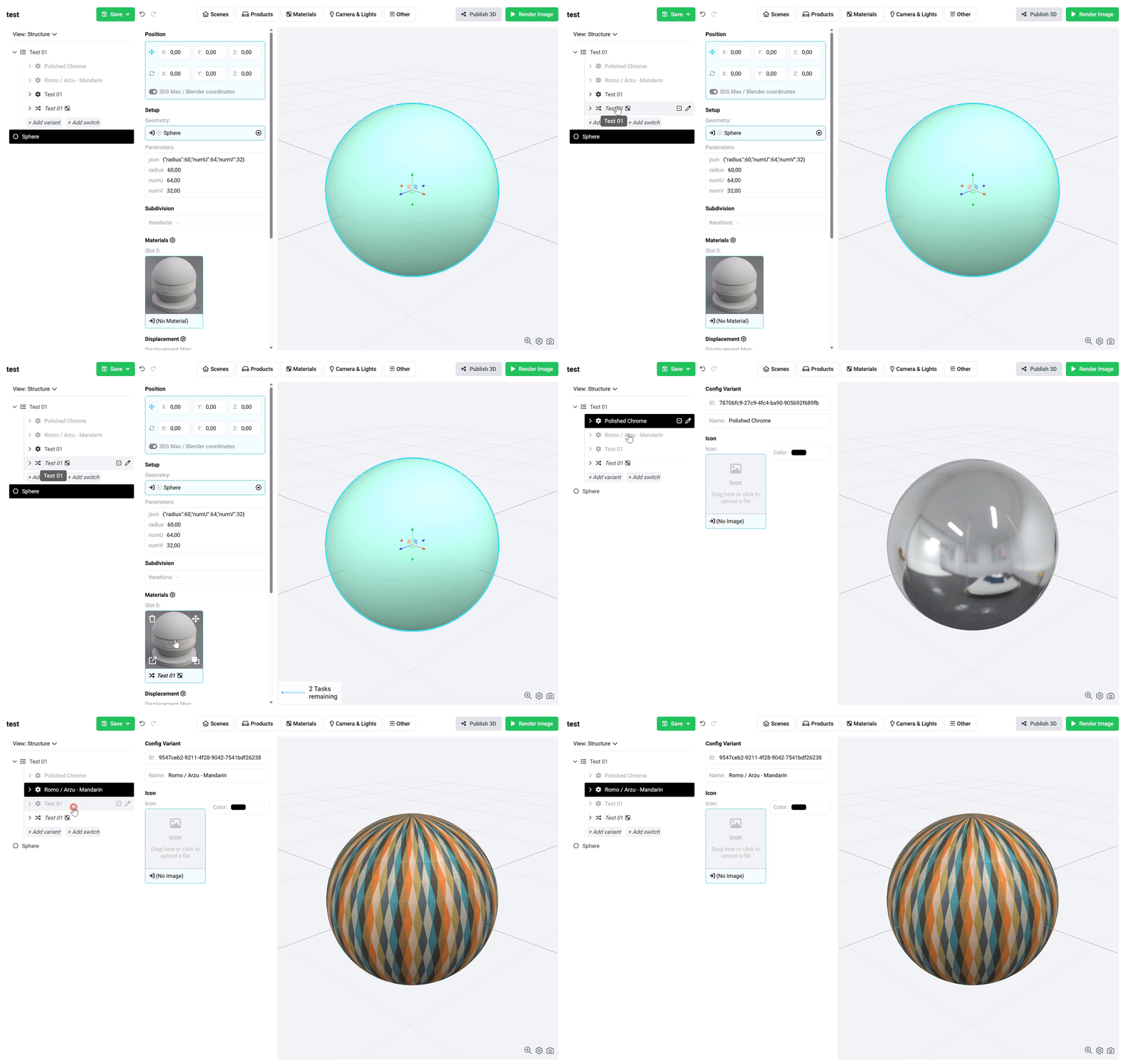
Once you click on your *Material Range* it will add a *Config Group* with your materials added as variants.
{% hint style="info" %}
To learn more about what a Config Group is check out the [Create Variants](/building-blocks/products/create-variants.md) and [Create Material Variants](/building-blocks/products/create-material-variants.md)pages.
{% endhint %}
To apply these variants, simply drag and drop the last item in the group (indicated by the small arrows) into the desired material slot (see below).