> For the complete documentation index, see [llms.txt](https://docs.colormass.com/llms.txt). Markdown versions of documentation pages are available by appending `.md` to page URLs; this page is available as [Markdown](https://docs.colormass.com/configurator/create-your-first-configurator/change-basic-ui-settings.md).
# Change Basic UI Settings
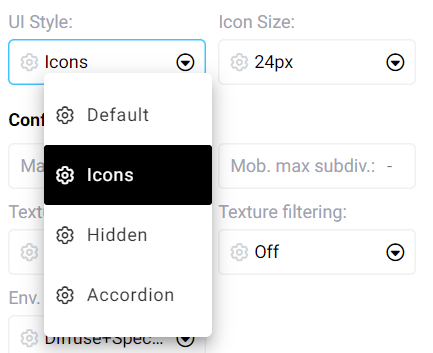
If you click on the Scene Properties node in your configurator there are various options that you can do. For the purpose of this tutorial lets simply change the UI style to *Icons:*
UI option
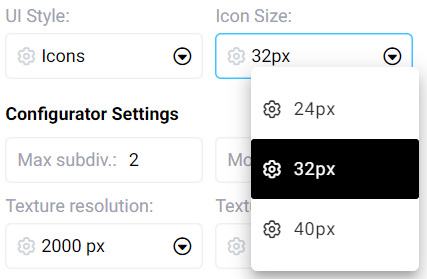
and also lets change the *Icon Size* to a bigger size: