> For the complete documentation index, see [llms.txt](https://docs.colormass.com/llms.txt). Markdown versions of documentation pages are available by appending `.md` to page URLs; this page is available as [Markdown](https://docs.colormass.com/rendering-platform/batch-rendering/render-all-variations.md).
# Render All Variations
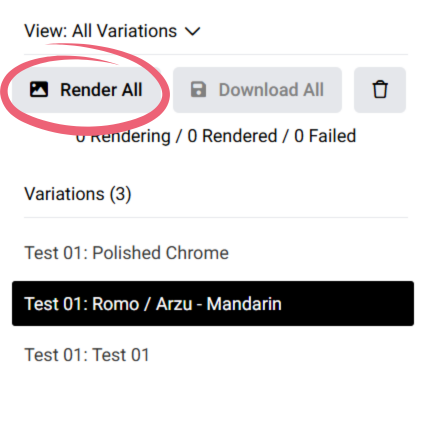
Once you are in the *All Variations* view (check the [View All Variations](/rendering-platform/batch-rendering/view-all-variations.md) page for more details) you can render all of the variations at once.
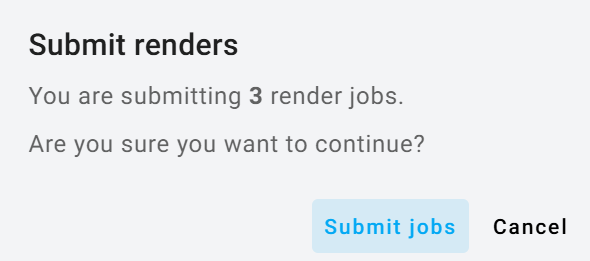
To render all of the images at once, press *Render All* and then click *Submit jobs* if the number in the dialog corresponds with the number of images that you would like to have in the end:
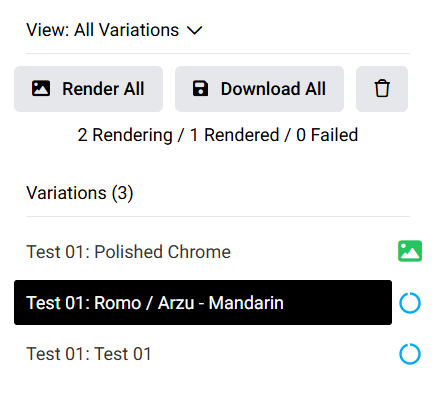
Once you submitted the render jobs on the right side of each list item you will see a progress icon:
Please see below which icon corresponds to which render status:
* Hourglass: The job is preparing to render.
* Blue Circle: Rendering is currently in progress.
* Green Icon: The render is complete.