> For the complete documentation index, see [llms.txt](https://docs.colormass.com/llms.txt). Markdown versions of documentation pages are available by appending `.md` to page URLs; this page is available as [Markdown](https://docs.colormass.com/rendering-platform/batch-rendering/view-all-variations.md).

# View All Variations

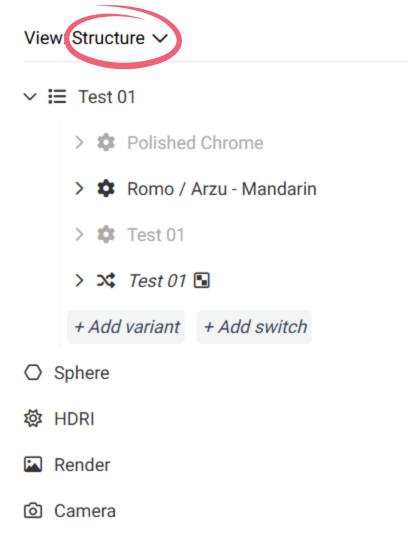
In the 3D editor the active view is called *Structure* that shows the structure of the scene, and the currently selected variation that would appear in your render.

<figure><img src="https://1229207575-files.gitbook.io/~/files/v0/b/gitbook-x-prod.appspot.com/o/spaces%2Fv3R7xjvJcsIFNxg1zMmq%2Fuploads%2FDagJHI6Ikd8K7SaveGBM%2FStructure.png?alt=media&amp;token=c0af335b-70b0-4a98-b282-6166b9f2e5c6" alt="" width="308"><figcaption></figcaption></figure>

In the above screenshot you can see that currently a variation called *Romo* is selected, which will be used in the render. If we wanted to generate all variations we would need to click on the *Structure* and change to *All Variations.*&#x20;

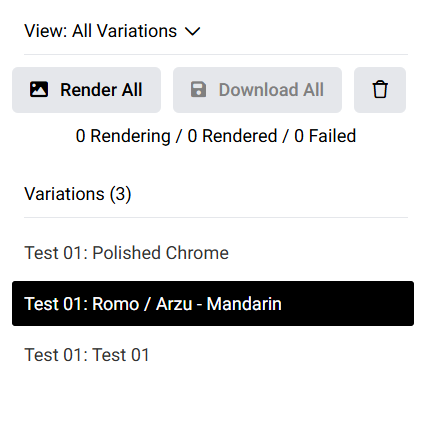
In this view all of your variations will be listed (as a flat list), like so:

<figure><img src="https://1229207575-files.gitbook.io/~/files/v0/b/gitbook-x-prod.appspot.com/o/spaces%2Fv3R7xjvJcsIFNxg1zMmq%2Fuploads%2FUhd5HHDeCrqwJDHrQk89%2Fimage.png?alt=media&amp;token=03306939-2465-4d34-aae7-83cd4d2d190b" alt="" width="320"><figcaption></figcaption></figure>

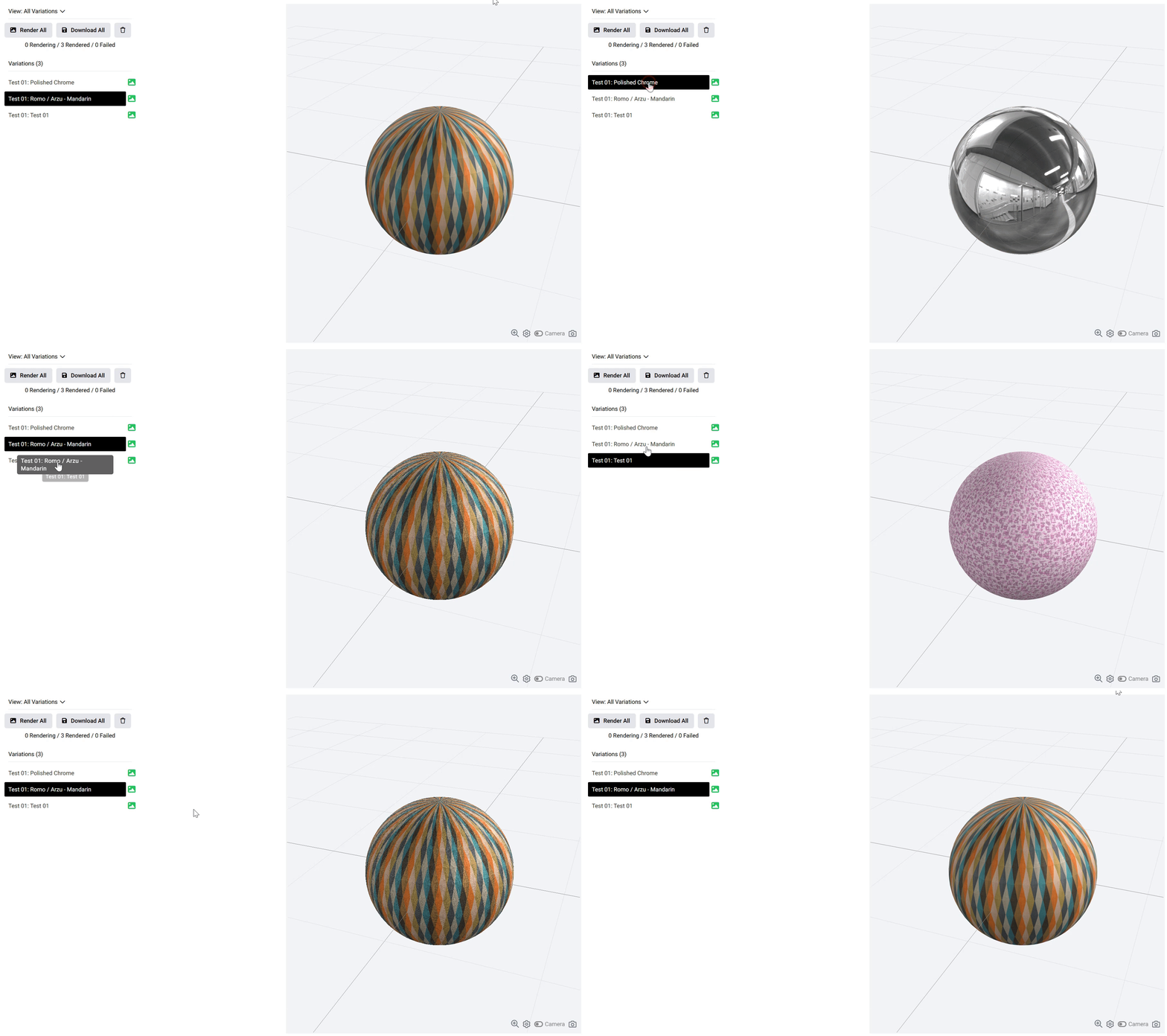
If you click on each variation on the left side, it will show that specific variation on the right side as well in the 3D viewer.
<figure><img src="https://1229207575-files.gitbook.io/~/files/v0/b/gitbook-x-prod.appspot.com/o/spaces%2Fv3R7xjvJcsIFNxg1zMmq%2Fuploads%2FuRAOQQZhRhYc22qS2jl7%2Fallvariations2.gif?alt=media&amp;token=2d4b704e-8acf-4e13-bdbd-89e025de96e4" alt=""><figcaption></figcaption></figure>