> For the complete documentation index, see [llms.txt](https://docs.colormass.com/llms.txt). Markdown versions of documentation pages are available by appending `.md` to page URLs; this page is available as [Markdown](https://docs.colormass.com/~/revisions/hhUottwyr9yqdItbQEIh/3d-content-management/materials/add-a-material.md).
# Add a Material
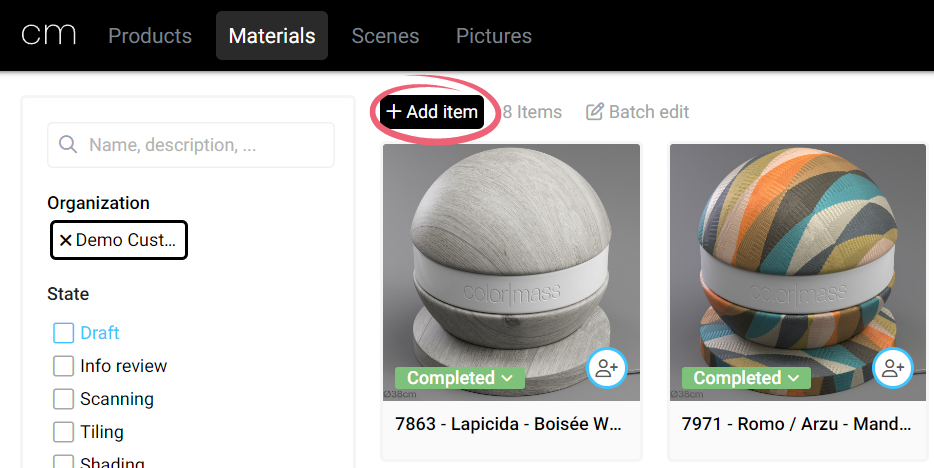
First navigate to the Materials page and there press the *+Add item* button.
Add a new material
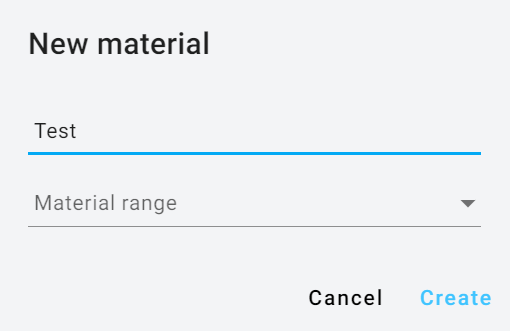
Next there will be a prompt that will ask for the name of the product:
Name the material
Once you named the product and hit *Create* you should be navigated to the Material dialog.